
The person who can fix an overrun is the only one with no information
Think about who can actually shorten a segment that is running long. It is the person holding the microphone, and in most rooms they are the only person who cannot see a clock.
Here is the asymmetry at the heart of most timing problems. The producer knows the show is eight minutes behind. The person on stage, who is the only one who can give those eight minutes back, knows only that they are still talking. So the producer waves. Somebody holds up fingers. Somebody else walks into the speaker's eyeline and looks meaningful. All of this is a workaround for a screen that does not exist.
A run of show that lives only on the producer's laptop is a run of show that only the producer can act on. Three screens fix that, and they are three different jobs.
Screen one: the backstage monitor, for everyone with a job
This is the display for crew, front of house, the wings, the green room. Its job is situational awareness: what is happening, what is next, and how long is left. It replaces the phone stopwatch and, more importantly, it replaces the question "where are we?" being asked out loud during a show.
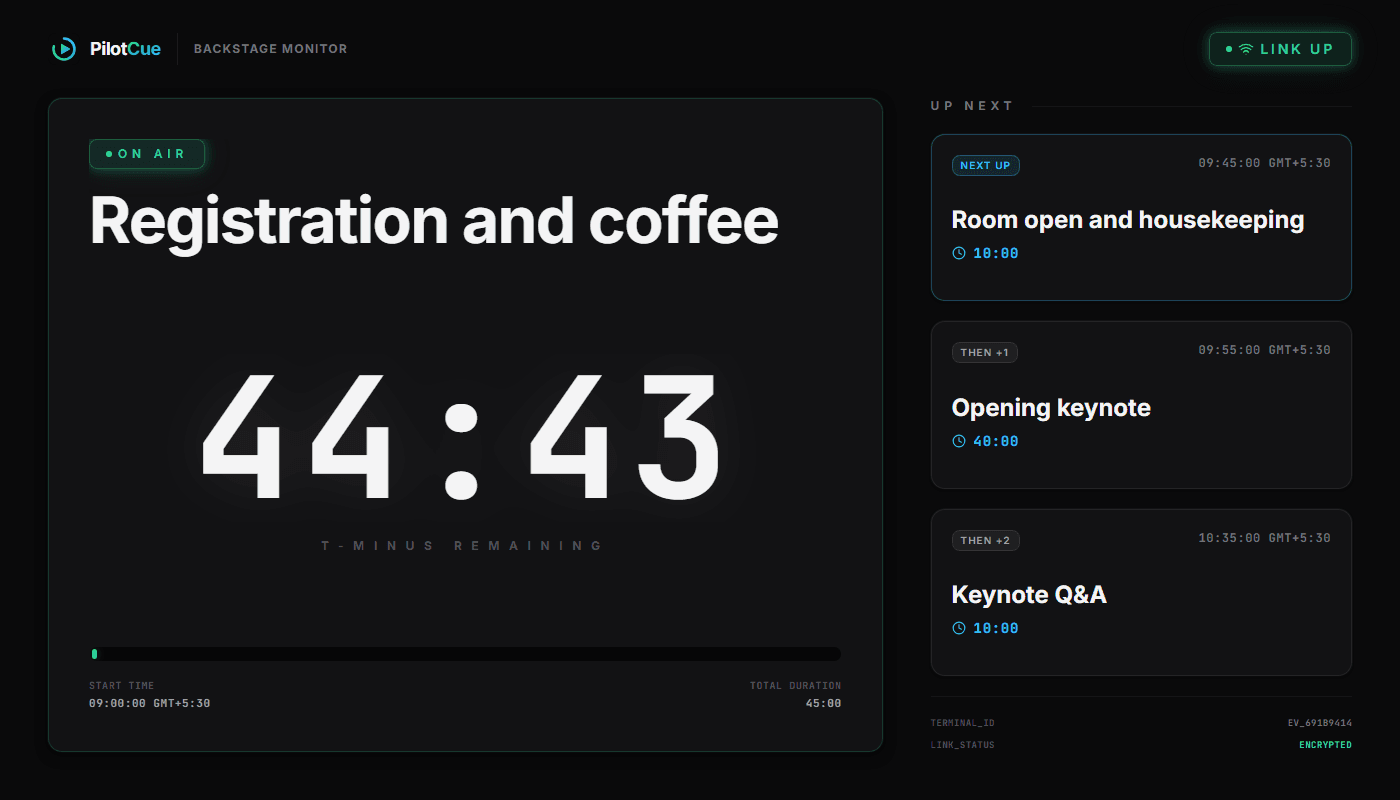
What earns its place on this screen is anything a crew member has to plan against. The next three cues rather than the whole sheet, because three is what you can act on and thirteen is a document. The state of the show, so a rehearsal cannot be mistaken for the real thing. And an honest indicator when the live connection drops, because a number that nobody has told you to stop trusting is worse than a number labelled as stale.
Screen two: the speaker screen, for one person, mid-sentence
This one is defined by what is not on it. Somebody holding a microphone in front of a room has almost no spare attention, and everything you add to their screen competes with the sentence they are in the middle of. So it holds one number. This is what a broadcast gallery would call a confidence monitor: a stage timer for speakers, and nothing else.
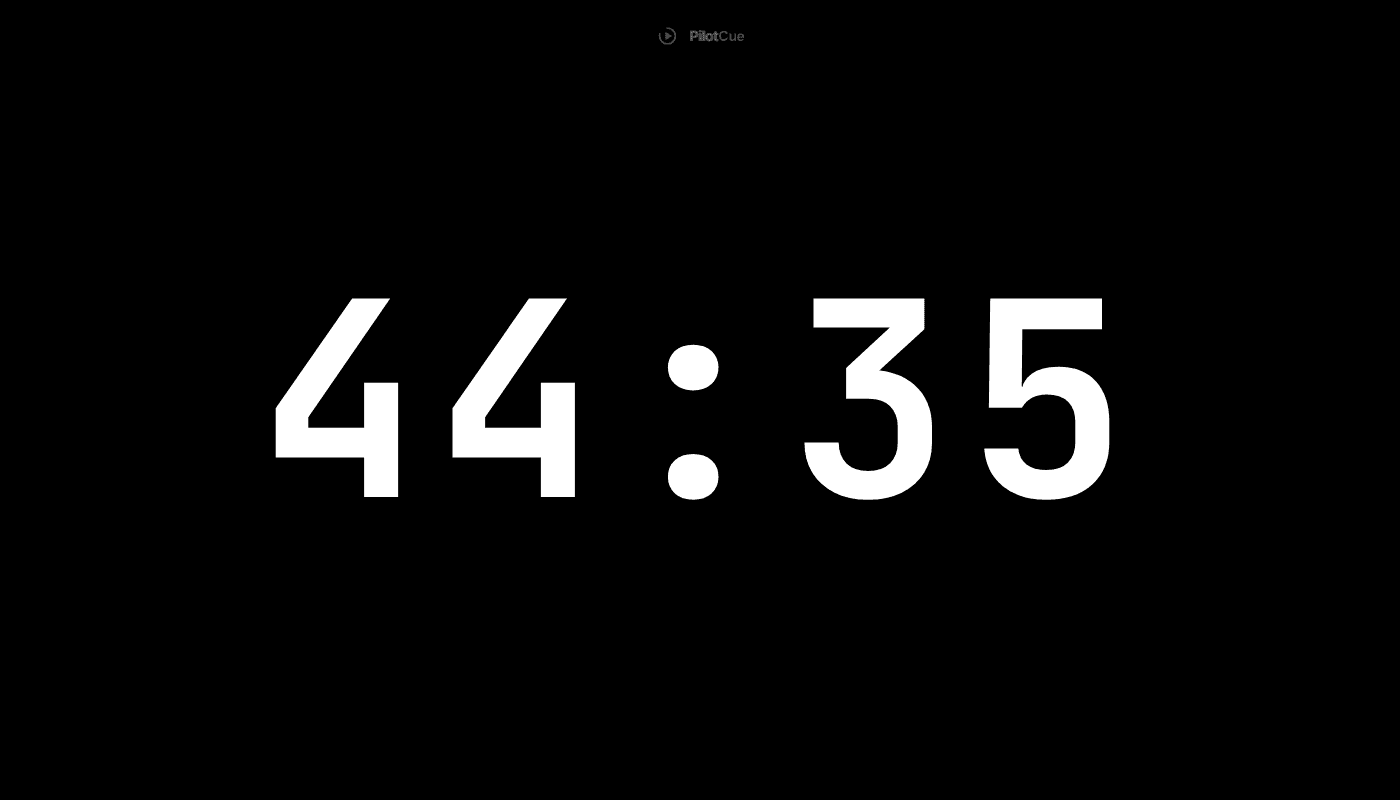
Note that it counts down, not up. A speaker who can see 04:12 remaining knows what to do with it. A speaker who can see 10:47 has to remember when they started and do arithmetic while talking, which nobody does correctly. Once the time is gone it splits: the countdown holds at zero and a separate overtime counter starts climbing, so being over is unmistakable rather than just being a small number.
And when you genuinely need words, you send words. Type into the console and it lands on their screen, with a flash for when it needs to be noticed rather than read.
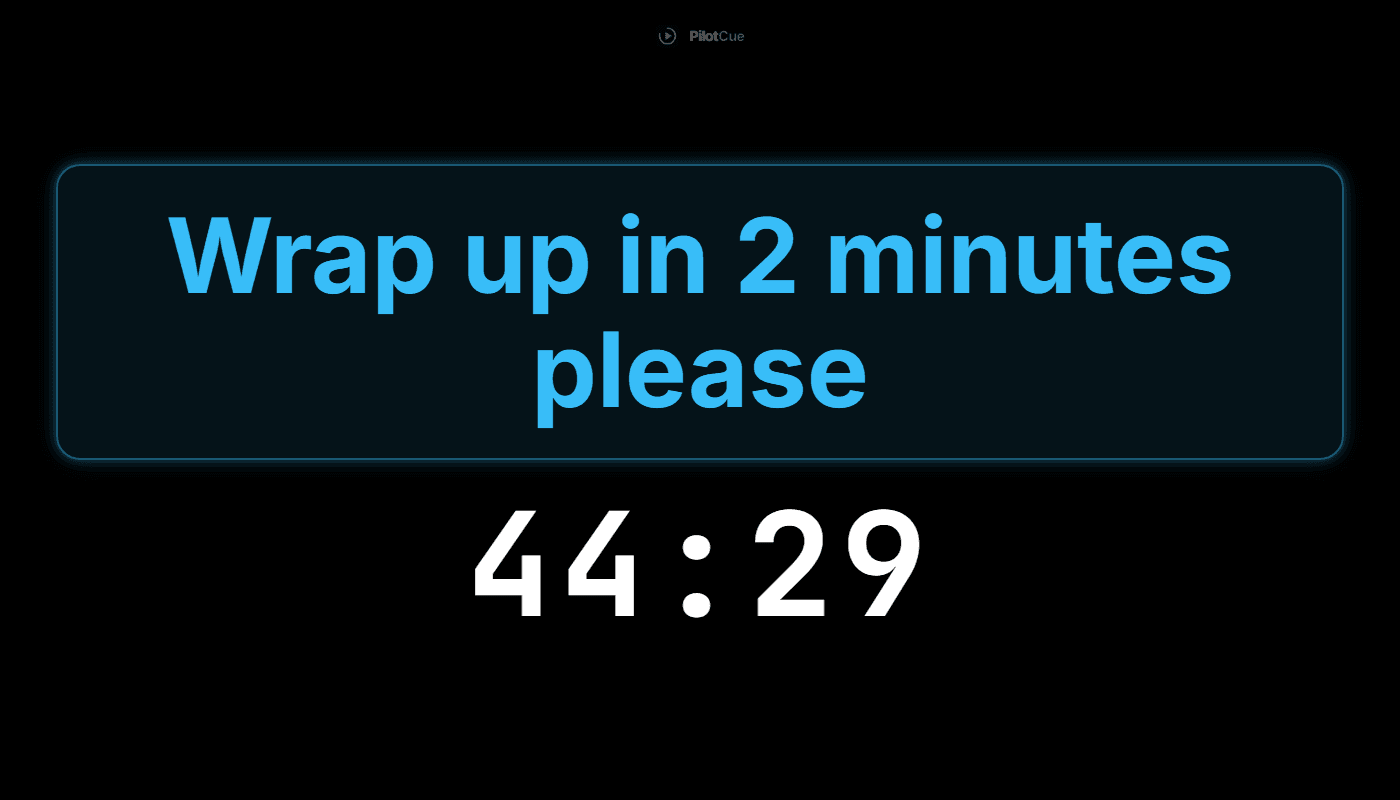
A hand signal from the wings communicates that something is wrong. A number on a screen communicates what to do about it.
Screen three: the share link, for everyone else
Every show has people who need to follow along and have no business editing anything: the client, the venue, the band, the volunteer who arrived twenty minutes ago, the person running slides from their own laptop. Giving them access to your console is wrong, and giving them a PDF is useless the moment anything moves.
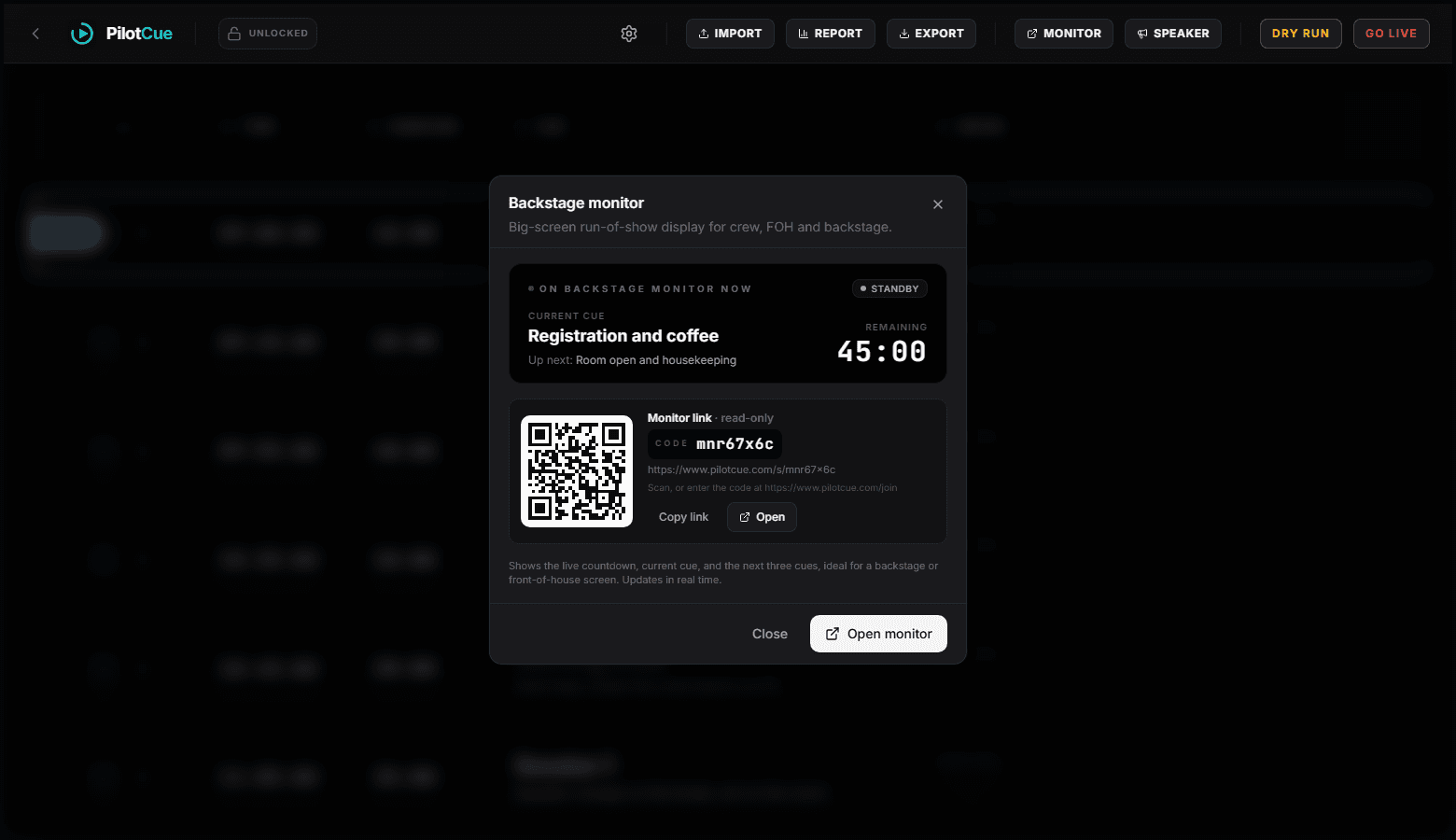
The QR code is the part that does the work, because a camera needs no account, no invite and no install.
The rule that makes all three work
None of these screens is impressive on its own. A countdown timer is not a hard thing to build, and there are plenty of good standalone ones. What makes the difference is that all three read from one timeline, so they cannot disagree.
That sounds obvious until you look at how most teams do it today: the sheet is in one app, the timer is a separate app started by hand, and the shared copy is a PDF exported at some point last week. Those three things will drift, and they will drift silently, and you find out at the moment the producer says one thing and the speaker screen says another. Once they are derived from the same source they cannot disagree, and nobody has to decide which screen to believe.
- One timeline. Every screen derives from it rather than holding its own copy.
- Different views, not different data. Crew get context, the speaker gets one number, guests get read-only.
- The state of the show is on the backstage monitor, so nobody backstage can mistake a rehearsal for the real thing.
- A dropped link is flagged on the screen itself, so a number nobody should trust any more is labelled instead of passing as current.
- What do I actually put these on?
- Whatever the venue has. Both screens are ordinary web pages, so a laptop on the HDMI feed, a spare tablet on the lectern, a phone taped to a music stand, or a venue display you open the share link on. There is a wake lock on browsers that support it; where it is missing or refused, set the device to never auto-lock.
- Can the speaker screen show the next item as well?
- The backstage monitor is the screen for that. Keeping the speaker screen to one number is a deliberate decision, because attention on stage is the scarcest resource in the room.
- Is the share link private?
- It is an unguessable code rather than a login, and it is read-only, so nobody you send it to can change your rundown. Be aware of what it does show: the share link opens the backstage view, which includes the Notes column for the current and next cues. Keep anything you would not hand to a volunteer out of that field, and treat the link like a calendar link rather than a password.
- How many screens can I open at once?
- We do not cap them. They are all views of the same show, and the console shows a connected count for the monitor and the speaker screen.